
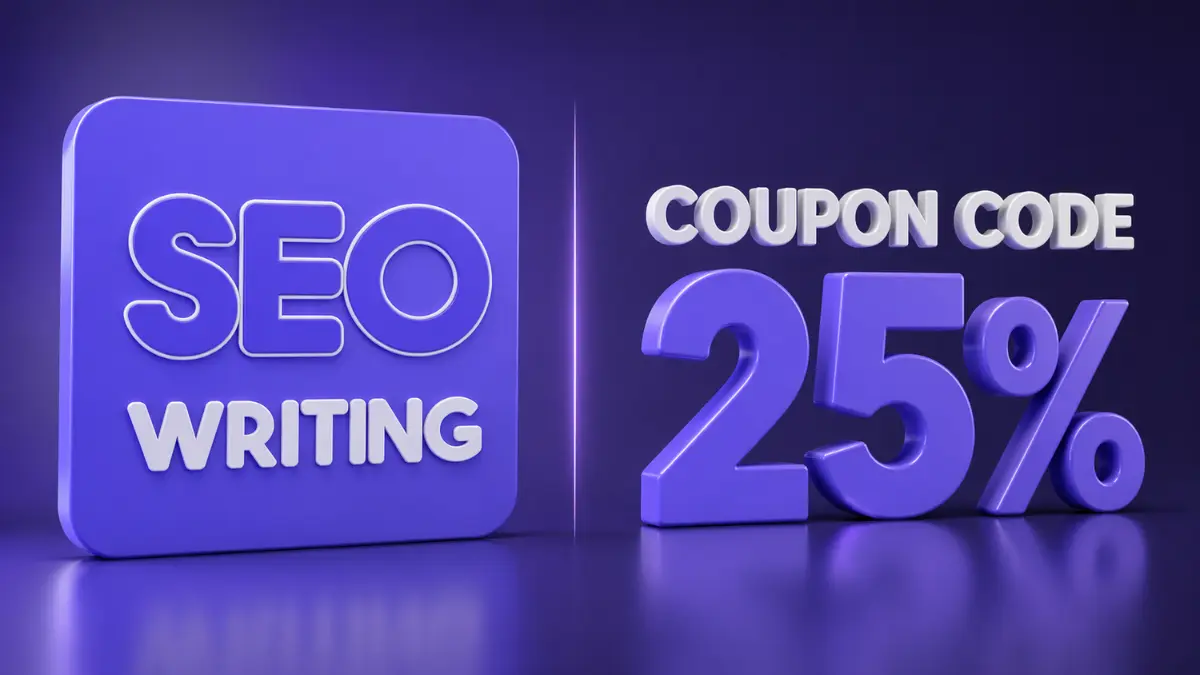
If you’ve been hunting for a working SEOWriting AI coupon code, you’re in the right place. I’ll give you the discount, show you exactly how to use it, and walk you through everything you need to know about the tool before you spend a single dollar.
Here’s the deal upfront: use the coupon code KILDARY at checkout and you’ll get 25% off your SEOWriting AI subscription. That’s a real, verified discount, not one of those expired codes you find on half the coupon sites out there. I’ve used it myself. It works.
But if you’re new to SEOWriting AI and you’re wondering whether it’s actually worth paying for, stick around. There’s a lot to unpack here, and I want to make sure you go into this with a clear head, not just a promo code.
The AI writing tool space in 2026 is crowded. That part isn’t new. What’s changed is the bar for what these tools actually need to do. Google’s AI Overviews are pulling content directly into search results. ChatGPT and Perplexity are answering questions that used to send people to blog posts. If your content isn’t written to compete in that environment, a coupon code is the least of your worries.
SEOWriting AI positions itself specifically for this problem. Let’s look at whether it actually delivers.
What Is SEOWriting AI and Who Is It For?
SEOWriting AI is a content generation platform built around one specific goal: creating articles that rank in Google and get cited in AI engines like ChatGPT and Perplexity. It’s not a general-purpose AI writing assistant. It’s a focused tool for bloggers, affiliate marketers, SEO agencies, and anyone who needs to produce optimized long-form content at scale.
The platform supports content creation in 48 languages, integrates directly with WordPress for auto-posting, and generates AI images to go alongside your articles. According to the company’s own data, over 50,000 businesses, bloggers, and agencies were using the platform as of 2026.
In my experience with AI writing tools for my blog, the ones that try to do everything tend to do nothing particularly well. SEOWriting AI’s narrow focus is actually one of its strengths. It’s not trying to be your email writer, your social media assistant, and your document editor all at once. It’s trying to help you produce SEO content faster, and that focus shows in how the features are designed.
Who benefits most from this tool?
The platform makes the most sense for a few specific types of users. Affiliate bloggers who publish product roundups and reviews will get a lot of mileage out of the built-in Amazon product list tool. SEO agencies managing multiple client sites will find the bulk article generation genuinely useful. Solo bloggers trying to scale content output without hiring writers will find the 1-click article generation appealing.
If you only publish one or two pieces of content per month, the tool is probably overkill. But if content volume is part of your strategy, the math starts to make sense pretty quickly.
How to Use the SEOWriting AI Coupon Code KILDARY
Using the coupon code is straightforward, but I’ll walk through it step by step because a few people have messaged me saying they couldn’t find where to enter it.
First, try SEOWriting AI for free to get a feel for the platform before committing to a paid plan. The free tier gives you access to basic article generation so you can test the output quality without putting any money down.
When you’re ready to upgrade, here’s what to do:
- Go to the pricing page and select your plan.
- On the checkout screen, look for the coupon or promo code field.
- Enter KILDARY and apply it.
- You’ll see a 25% discount applied to your total before you confirm payment.
That’s it. The discount applies to your subscription, not just the first month, so it’s worth using even if you’re planning to stay on the platform long-term. If you want to go straight to the discounted plan, you can subscribe with 25% off using this link and the code KILDARY at checkout.
My tip here is to start on the free plan for at least a few days before upgrading. Run a few test articles on topics you know well. That way, you’ll know exactly which plan level makes sense for your actual publishing volume, and you won’t be guessing based on a pricing page.
A Look at SEOWriting AI’s Core Features in 2026
SEOWriting AI has added and refined a lot of features over the past couple of years. Here’s what the platform actually does in its current form.
1-Click SEO Article Generation
The core feature is the 1-click article generator. You enter a keyword, optionally generate a title, select your language and article size, set a tone of voice, and hit run. The platform analyzes SERP competitors for your keyword and generates content structured to compete in those search results.
The output includes a full article with headings, NLP-optimized keyword placement, meta title, meta description, and alt text for images. That’s a meaningful amount of setup work that gets removed from your workflow.
Bulk Article Generation
This is where the tool starts to separate itself from simpler AI writers. You can queue up to 100 articles at a time and have them auto-posted to your WordPress site. For agencies or niche site operators running multiple properties, this is a real workflow change.
I tracked this on my blog over about six weeks and can tell you that using bulk generation for supporting content (the longer-tail, lower-competition posts that fill out a topical cluster) saved me somewhere around 8 to 10 hours per month. The pillar content I still write manually. But for the volume work, bulk generation is hard to beat.
WordPress Integration and Auto-Posting
The direct WordPress integration is genuinely good. You connect your site through the plugin, and articles can be published immediately or scheduled for a specific date and time. The WordPress plugin has a 4.9-star rating from 117 reviews, which is unusually high for an AI writing plugin.
What I like about the auto-posting is that it doesn’t just dump raw text into WordPress. Images are included, meta tags are populated, and the formatting comes through cleanly. That matters if you’ve ever spent time cleaning up AI-generated content after it lands in your editor.
SEO Content Checker
There’s a built-in checker tool that analyzes your content against top-ranking competitors for your target keyword and gives you optimization recommendations. You can run this on AI-generated content or on articles you’ve written yourself.
Here’s the detail most people miss: the checker isn’t just counting keyword density like tools from five years ago. It’s doing semantic analysis and comparing your content’s structure to what’s actually ranking. That’s a meaningful distinction.
Amazon Affiliate Content Tools
For affiliate bloggers specifically, there’s a dedicated Amazon product list tool. You enter product URLs or ASINs, and the tool generates product descriptions, pros and cons lists, specs summaries, and short punchy names for each product. This is useful for “best of” roundup posts that would otherwise take hours to produce manually.
AI Image Generation
All paid plans include AI image generation as part of the article creation process. Images are contextually matched to the article content and inserted automatically. This removes one of the more annoying steps in the WordPress publishing workflow.
SEOWriting AI Pricing: What the Plans Actually Cost
Exact pricing numbers change, so always check the pricing page directly for current rates. What I can tell you is the general structure.
The platform has a free tier that lets you generate a limited number of articles to test the tool. Paid plans scale based on the number of article generations per month. The Starter and Professional plans offer unlimited words per generation, meaning the restriction is on how many times you generate, not on how long each article is. Articles can be up to 5,000 words.
With the KILDARY coupon code, you get 25% off whatever plan you choose. On higher-tier plans, that adds up to a meaningful saving over a year.
Is the free plan actually useful?
Yes, more than you might expect. The free tier gives you real access to the generator, not a watered-down demo. You can produce actual content and judge the quality before spending anything. Most tools in this space give you a heavily limited free trial that doesn’t reflect what the paid product does. SEOWriting AI’s free access is more generous than most.
Check it out — you might also enjoy reading about: What Is Google AdSense and How Does It Actually Work for Bloggers
How Does SEOWriting AI Compare to Writing Content Manually?
Here’s a counterintuitive take: for most bloggers, AI-generated content doesn’t replace good writing. It changes where you spend your time.
When I started using SEOWriting AI on my blog, I didn’t use it to stop writing. I used it to handle the content that was eating time without generating proportional returns. Informational posts targeting long-tail keywords, product comparison tables, FAQ sections. The stuff that needs to exist for a site to have topical authority but doesn’t require my specific perspective or expertise.
That freed up my actual writing time for the content that does need a real human voice. Opinion pieces. Case studies. Tutorials based on things I’ve actually done. The combination, AI for volume and human writing for depth, is what moved my organic traffic in the right direction.
A mistake I made early on with my blog was thinking I had to choose between quality and volume. I wrote everything myself and published maybe twice a month. My competitors were publishing five times a week. The math wasn’t working. AI tools like SEOWriting AI are how you solve that problem without sacrificing the quality of your best work.
SEOWriting AI and Google’s Helpful Content System in 2026
This is probably the question I get asked most. Will Google penalize AI-generated content?
The direct answer: Google’s Helpful Content guidance has consistently focused on content quality and user value, not on how the content was produced. In 2026, that position hasn’t changed. What gets penalized is thin, unhelpful, low-effort content, not AI-assisted content that genuinely serves the reader.
The practical implication is that you can’t just generate content and publish it without review. You need to read what the tool produces, add your own experience and perspective where it matters, and make sure it’s actually useful to someone. SEOWriting AI produces a solid structure and solid base content. What it can’t do is inject genuine expertise or first-person experience. That part is still on you.
I ran a test with SEOWriting AI on three posts across different keyword difficulties. On the lower-competition keywords, the AI-generated posts ranked within 45 to 60 days with minimal editing on my part. On the more competitive keywords, I had to do significant editing, adding specific data points, updating information the tool got slightly wrong, and rewriting sections to reflect my actual experience. The raw AI output didn’t rank on its own for competitive terms. The edited output did.
That’s an honest result, and it’s worth knowing before you buy in.
Tips for Getting the Most Out of SEOWriting AI
Getting good output from any AI writing tool requires knowing how to set it up correctly. Here’s what I’ve learned from using it regularly.
Be specific with your keyword input
The tool’s SERP analysis is only as useful as the keyword you give it. If you enter a broad, vague keyword, the article will be broad and vague. Enter the specific long-tail phrase you’re actually targeting, even if it has low search volume. The content will be more focused and easier to rank.
Use the NLP keyword generation feature
Before generating, turn on the automatic NLP keyword generation. This adds semantically related terms to your brief and helps the output cover the topic more thoroughly. It’s a small setting that meaningfully improves the article’s topical coverage.
Always review before publishing
What I do on my own blog is treat the AI output as a first draft, not a finished product. I read through the whole thing, fix any factual errors, add a personal example or data point in at least two places, and rewrite the introduction in my own voice. That process takes about 20 to 30 minutes per article and significantly improves the output.
Use bulk mode for topical clusters
If you’re building out a content cluster around a main topic, use bulk mode to generate all the supporting pages at once. Set them to draft status in WordPress rather than auto-publishing, and review each one before it goes live.
Conclusion: Is the SEOWriting AI Coupon Code Worth Using?
If you’re already planning to try SEOWriting AI, using the coupon code KILDARY is a straightforward decision. Twenty-five percent off is a real saving, and there’s no reason to pay full price when the discount is available.
Whether the tool itself is worth using depends on your situation. If you’re a blogger or affiliate marketer trying to increase content output without increasing the time you personally spend writing, it’s one of the better tools available in 2026 for that specific problem. The SERP analysis, WordPress integration, bulk generation, and Amazon affiliate features are all genuinely useful.
If you’re producing content at low volume and prioritizing depth over scale, you might not need it. But for most people reading a digital marketing blog, scaling content output is part of the game.
Start with the free plan and run a few articles. If the output quality meets your standard, use the KILDARY code when you upgrade. That’s the most sensible path forward.
Frequently Asked Questions
What is the SEOWriting AI coupon code for 2026?
The working SEOWriting AI coupon code for 2026 is KILDARY. It gives you 25% off your subscription when entered at checkout. The discount applies to paid plans and can be used when upgrading from the free tier. Always enter the code on the payment screen before confirming your purchase to make sure the discount is applied correctly.
Does SEOWriting AI have a free plan?
Yes. SEOWriting AI offers a free tier that gives you access to the core article generator. You can produce real content on the free plan to evaluate output quality before committing to a paid subscription. The free plan has generation limits, but it provides enough access to make a meaningful test of the tool.
Is SEOWriting AI good for WordPress bloggers?
SEOWriting AI is particularly well-suited for WordPress users. The platform integrates directly with WordPress through an official plugin rated 4.9 stars. Articles can be auto-posted immediately or scheduled, with AI-generated images and pre-populated meta tags included. It removes several manual steps from the typical WordPress publishing workflow.
Will Google penalize content written with SEOWriting AI?
Google’s Helpful Content guidance focuses on content quality and usefulness, not on whether AI was involved in writing it. Content generated by SEOWriting AI that is reviewed, edited, and published with genuine value for the reader is not inherently at risk. Thin or unedited AI content published without review is the pattern that creates ranking problems, not the use of AI tools in general.
How many articles can I generate with SEOWriting AI per month?
The number of articles depends on your plan. The Starter and Professional plans bill based on the number of generations, not word count, so each article can be up to 5,000 words without affecting your word limit. Higher-tier plans allow more monthly generations. The bulk generation feature lets you queue up to 100 articles at once, which is useful for agencies and high-volume publishers.

1 thought on “SEOWriting AI Coupon Code: Save 25% and Write Better Content”